
Carrier connection
Shippit.
Connected to dispatch.
Scope Shippit service selection, labels and dispatch handoff against your carrier account.
Responsibilities
Agree where each record belongs.
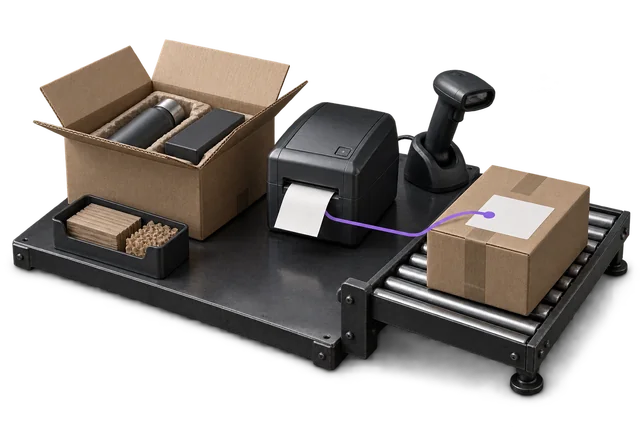
A supported dispatch workflow does not establish a pre-built carrier connector. Agree the connection method and limitations during scoping.
What flows where
Scope the records in each direction.
These are proposed flows for scoping, not a promise that every object or event is already supported.

| Record | From → to | Trigger | Scope note |
|---|---|---|---|
| Service and shipment details | OpsUI → Shippit | At dispatch preparation | Confirm rating and service-selection scope. |
| Label and tracking reference | Shippit → OpsUI | After shipment acceptance | Connection and account support to confirm. |
| Manifest / dispatch handoff | OpsUI → Shippit | Agreed dispatch cut-off | Confirm direct API, aggregator or file requirements. |
| Tracking updates | Shippit → OpsUI | When supported events arrive | Event coverage and timing require verification. |
Set up the connection around your operation.
Confirm access
Bring your Shippit account type, service mix and shipping locations.
Agree the mapping
Confirm rate, label, tracking and manifest access, including printer formats.
Test the handoff
Test representative parcels, rejected addresses, label retries and end-of-day handoff.
Questions about Shippit.
Do I even need Shippit if OpsUI can ship carriers directly?
Not necessarily. An aggregator like Shippit earns its keep when you want fast access to many carriers, rate-shopping across them and a single support contact, at the cost of a margin on each label. If you run one or two carriers at volume, integrating them directly with your own negotiated rates usually works out cheaper. OpsUI supports both, so you can model the economics and decide; we'll confirm the right connector during scoping.
Which carriers can I reach through Shippit in OpsUI?
Through Shippit you can reach the major AU networks: Australia Post, StarTrack, Sendle, Aramex (ex-Fastway), CouriersPlease and others on your Shippit plan. OpsUI also integrates several of these directly. The deciding factor is whether you'd rather pay an aggregator margin for breadth or hold your own carrier accounts; we map that out with you in scoping.
Is the Shippit connector live in production?
It's configurable. Our one live carrier API today is NZ Couriers; every other carrier and platform, including Shippit, is confirmed and wired during your rollout through the Shipping/Outbound module: direct API, an aggregator like Shippit, or a file-based handoff. OpsUI owns the dispatch workflow regardless of which path we connect.
Whose Shippit account does this use?
Your own. OpsUI connects to your Shippit account and the carrier rates and contracts attached to it. We don't resell freight or sit between you and your carrier pricing. If you later move a lane direct, your negotiated rates stay yours and the dispatch workflow in OpsUI doesn't change.
Your next step
Bring your system. Map the connection.
Share the account or version you use, the records that matter and the exceptions your team needs to handle.